SOLIDWORKS MCP: what the connection gives you, and what a real build needs

By Max Buining, who builds extrudo · 5 min read
Search for "SOLIDWORKS MCP" and you'll find a handful of projects that connect Claude to SOLIDWORKS. People send them to me a lot, usually with the question "isn't that what extrudo does?"
Partly, yes. They share the starting point. Here's what that starting point gives you, and what it takes to get from there to parts an engineer would actually use.
What MCP is
MCP, the Model Context Protocol, is an open standard Anthropic published in November 2024. It gives an AI model a menu of tools it can call, with a description of each one, and passes the results back. Claude decides which tool to use, the tool does the work, and Claude reads what came back.
SOLIDWORKS has had a programming interface for decades. A SOLIDWORKS MCP server puts that interface on the menu, so Claude can ask SOLIDWORKS to make a sketch, extrude it or add a mate, and get an answer.
How do you connect Claude to SOLIDWORKS?
A do-it-yourself setup comes down to four steps:
- SOLIDWORKS on Windows. Its programming interface only works where SOLIDWORKS runs, so everything happens on the same PC.
- An MCP server that turns that interface into tools Claude can call: open a part, sketch, extrude, add a mate. You install it and keep it running yourself.
- Register the server in your MCP client, such as Claude Desktop or Claude Code, so Claude can see its tools.
- Ask for something. Claude picks a tool, SOLIDWORKS does the work, and the result goes back to Claude.
What the connection gives you
Once it's set up, you can type "make a 50 mm cube with a 10 mm hole through it" and watch it appear. That's a real moment, the first time.
It's also roughly where the connection's job ends. It passes commands along. Whether the hole ended up in the middle, whether the sketch is fully defined, whether the next feature still works when the first one is changed: none of that is the connection's problem.
What a real build needs on top
Here's the gap between "Claude can click in SOLIDWORKS" and "I'd put this part in a machine".
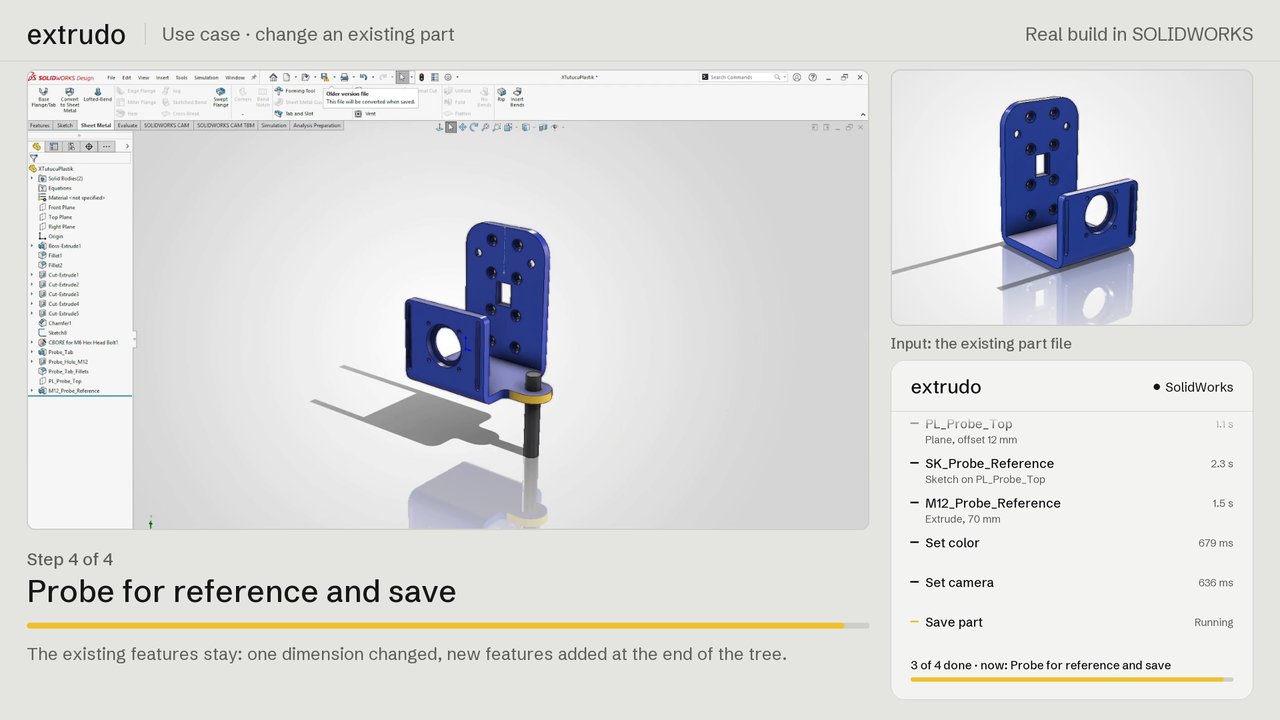
- A check after every feature. Language models are confident, and a cut that went 2 mm the wrong way looks fine in a sentence. Every extrudo step comes back with the volume, mass and bounding box straight from SOLIDWORKS and gets compared with what was asked. A mismatch gets fixed before the next feature goes on top of it.
- A tree you can edit later. Fully defined sketches, sensible features in a sensible order. The file has to survive the moment a colleague changes a dimension.
- Recovery. SOLIDWORKS refuses things: a fillet that's too big, a face that isn't there. A build has to notice, work out why and fix it, not carry on with a broken model. Our sheet metal control cabinet ran 244 steps with 0 failed.
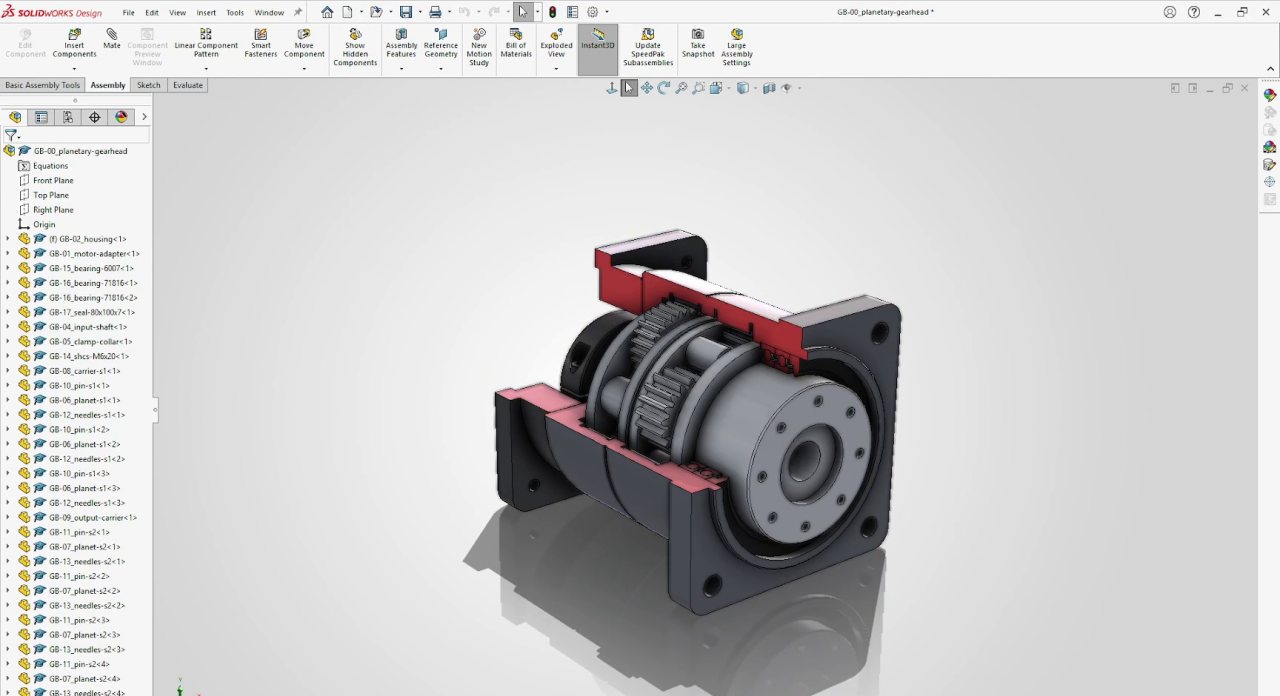
- Assemblies that are driven, not just mated. A lead screw with the wrong pitch looks exactly like one with the right pitch. We turn the input and measure the output. On the planetary gearhead, 7,358 degrees in gave 367.9 degrees out: one twentieth, as designed.
- Output you can send. Production drawings with a title block, an assembly drawing with a parts list and balloons, a DXF flat pattern of every sheet metal part, STEP files. Those are what leave the building, not the 3D view.
- A record. Every step goes into a log on your PC: what was asked, what ran and what it measured.
Why it's not "just a wrapper"
Each item on that list sounds small. Together they're the difference between a demo and a tool. Most of our work on extrudo has gone into the part you don't see in a screen recording: making the build check itself, catch its own mistakes and leave files that behave like a careful engineer made them.
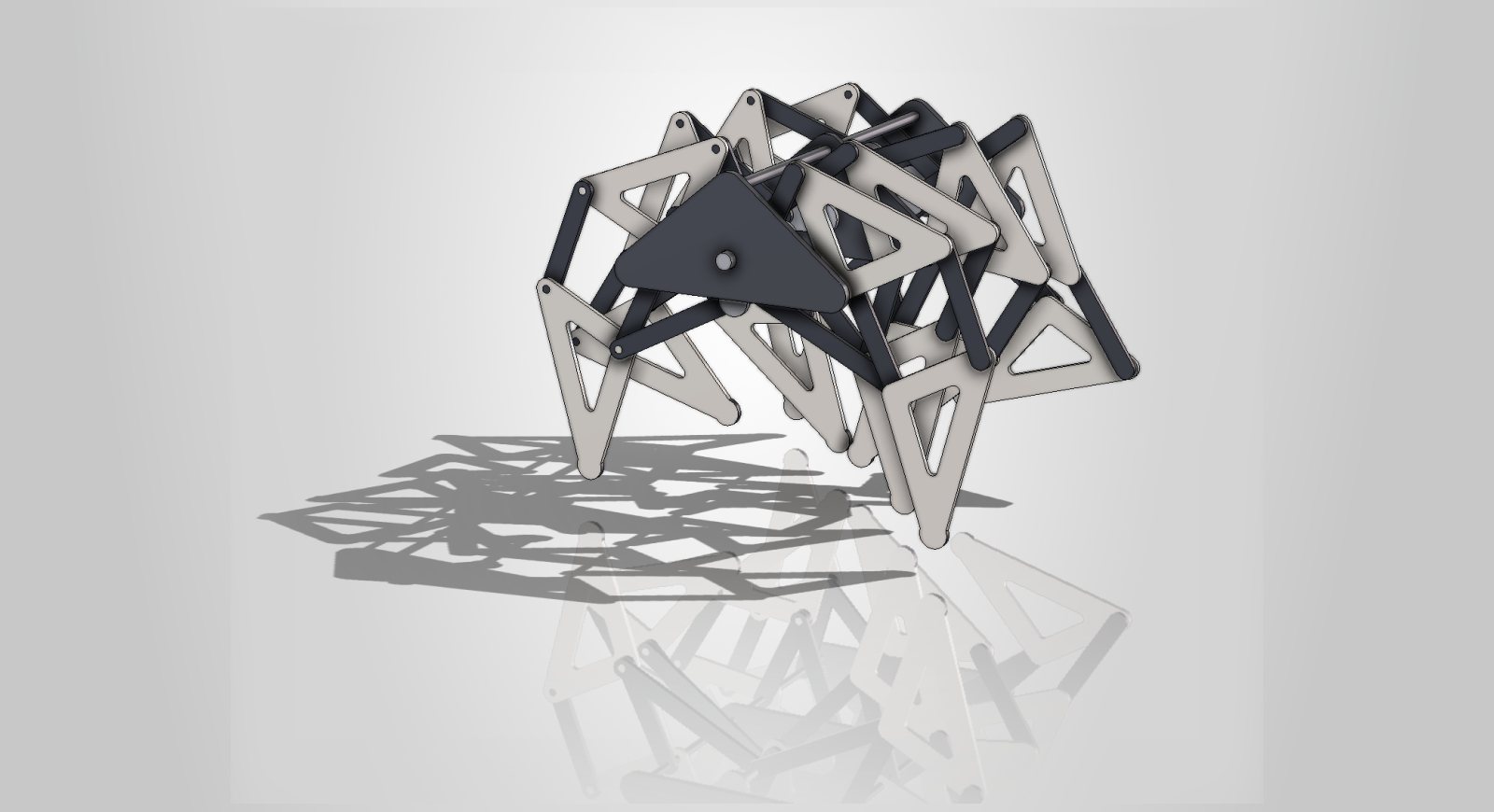
That's also why the builds look the way they do. The V8 has 213 components and 261 mates, and over two full turns of the crank every moving part stayed within 0.0051 mm of the calculated motion. A bare connection can make the parts. Getting them to move like that is a different job.
How extrudo compares with a do-it-yourself setup
- Setup. A DIY server means installing and configuring it yourself and keeping it working after updates. extrudo is a normal Windows app: download it, install it, sign in.
- Checks. A connection passes commands. extrudo measures every feature and fixes what doesn't match.
- Output. A connection makes geometry. extrudo also delivers drawings, parts lists, flat patterns and STEP files.
- Your files. Both run on your PC. With extrudo, the part files themselves are not uploaded, and you can see exactly what goes to the model.
- The AI. On the Pinion plan, extrudo runs on your own Claude: your Claude Code login or an Anthropic API key. If you already use Claude Code, you keep it, and extrudo supplies the SOLIDWORKS side. On Drive and Powertrain the AI is built in, so there's nothing to set up.
FAQ
What is a SOLIDWORKS MCP server?
A program that lets an AI model such as Claude call SOLIDWORKS through the Model Context Protocol, so it can create sketches, features and mates and read results back.
Can Claude use SOLIDWORKS?
Yes. Through an MCP connection Claude can drive SOLIDWORKS on your PC. extrudo builds on that with checks after every feature, recovery from failed steps, drawings, flat patterns and a full log.
Is extrudo an MCP server?
extrudo is a Windows app that lets Claude build in your own SOLIDWORKS. On Pinion it uses your own Claude, through a Claude Code login or an Anthropic API key; on Drive and Powertrain the AI is built in. Either way it adds the measuring, recovery and output that a bare connection doesn't have.
Does a SOLIDWORKS MCP server work on a Mac?
Not by itself. SOLIDWORKS is a Windows program and the server has to run next to it, so you need a Windows PC or Windows in a virtual machine.
Do my SOLIDWORKS files get uploaded?
No. Part files stay on your PC. Your prompt, files you attach, tool results and screenshots of the SOLIDWORKS view go to the language model.