A SOLIDWORKS drawing package from one model: every part, the assembly drawing, the PDFs
By Max Buining, who builds extrudo · 4 min read
The model is done. Now somebody has to draw it. For a small assembly that means a drawing of every part you make, the assembly drawing, a PDF of each and a STEP for the supplier. It's the job nobody puts in the quote and everybody has to do.
This post walks through what a drawing package for an assembly holds, and then shows one that extrudo made, start to finish, for a pneumatic cylinder.
What goes in a drawing package
- A production drawing of every part you make. Views, dimensions, tolerances, material and finish, a title block with the part number and revision.
- No drawings of bought parts. Seals, nuts, bearings and motors are ordered, not made. They belong in the parts list with their supplier number.
- The assembly drawing. Usually an overall view or an exploded view, a parts list (BOM) and a balloon on every item, so the person assembling it can match the list to the parts.
- PDFs for the workshop and anyone without SOLIDWORKS, and a STEP of the whole for the customer or supplier.
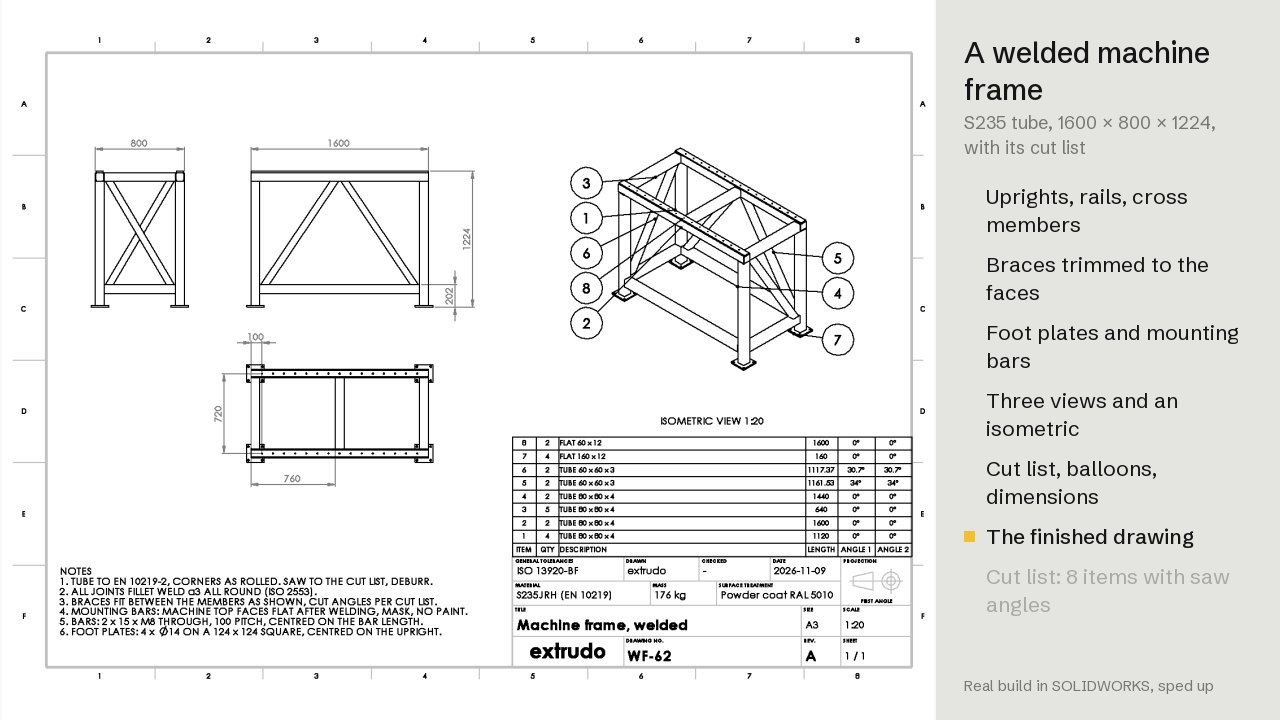
- For other kinds of parts, DXFs of the sheet metal flat patterns and cut lists of welded frames. We wrote about weldments and cut lists separately.
In SOLIDWORKS each drawing is its own file that refers to its model. When the model changes, the views follow, and any dimension whose edge has disappeared becomes a dangling dimension that you have to reattach. That's why updating an old package is often more work than making the first one.
The cylinder
The model came from an earlier build: a double-acting tie-rod pneumatic cylinder with a 40 mm bore and a 100 mm stroke. It has 14 part files, 25 components and 49 mates, with real ISO threads on the rod, the tie rods and the air ports, and a motion study where the rod runs the full 100 mm out and back.
The task form
In the extrudo app, the Drawing package task is one form. For this run the choices were:
- part drawings and an assembly drawing
- ISO, general tolerance ISO 2768-m
- revision A
Then you start it and it works through the assembly in your own SOLIDWORKS.
What came back
One run of 187 steps in 17 min 22 s, done by Claude Opus 5.5 in the extrudo app:
- 9 drawings with PDFs: one for each of the 8 parts it makes, and the assembly.
- Bought parts stay bought. Seals, nuts and the clevis pin are in the parts list and got no drawing of their own.
- The assembly drawing on A2, with a parts list, 14 item balloons and an exploded isometric view.
- A STEP of the whole cylinder.
- Every drawing check came back clean, and the model check scored 100/100.
The AI chose the finishes and fits where the model didn't say, and listed them in its report for you to review. That's the honest part of any drawing package: someone signs it, and that someone is still you.
| Package item | In this run |
|---|---|
| Part drawings | 8, one per made part, each with a PDF |
| Assembly drawing | A2, parts list, 14 balloons, exploded view |
| Bought parts | In the parts list, no drawing |
| Neutral file | STEP of the whole |
| Checks | Every drawing check clean, model check 100/100 |
Why it matters that these are real SOLIDWORKS drawings
There are tools that make a picture of a drawing, or a PDF straight from a mesh. You can't revise those. These are ordinary .SLDDRW files next to their parts, with views that follow the model and dimensions you can drag, edit or delete. The next time the model changes, you open the drawing in SOLIDWORKS like any other.
The task also handles drawings that already exist: by default it updates them and keeps their layout instead of drawing them again. And it does the same for sheet metal and welded frames: a DXF of every sheet metal part for the laser, and a cut list of every welded frame.
See the run and the cylinder on the use cases page, or see the plans and the free build.
FAQ
What is a drawing package in engineering?
The set of documents a part or assembly needs to be made and assembled: a production drawing of every made part, an assembly drawing with a parts list, and usually PDFs and a STEP. Bought parts appear only in the parts list.
How do I make an assembly drawing with a parts list in SOLIDWORKS?
Make a drawing of the assembly, add a view (often an exploded isometric), insert a bill of materials table and add balloons. Balloons take their item numbers from the parts list. In our cylinder run the assembly drawing has 14 item balloons on an A2 sheet.
Can SOLIDWORKS make drawings automatically?
SOLIDWORKS can place standard views and import model dimensions, but someone still has to choose the views, clean up the dimensions, fill the title block and repeat that for every part. extrudo's Drawing package task does that whole round for a part or an assembly in one go: 9 drawings for our pneumatic cylinder.
Can AI make SOLIDWORKS drawings?
Yes. extrudo makes real .SLDDRW files in your own SOLIDWORKS, with views, dimensions, a parts list, balloons and PDFs. The finishes and fits it picks are listed in its report so an engineer can check them before release.